
Hybrid work has transformed the way organizations operate. While it offers flexibility and autonomy, it also introduces new challenges for employees and facilities teams alike. Microsoft Places is designed to address these challenges head-on, creating a connected, intelligent workplace experience that integrates seamlessly with Microsoft 365.
Table of Contents
The Challenges of Hybrid Work
Adapting to hybrid working models has brought to light a fresh set of complexities for businesses. Balancing the freedom of remote work with the benefits of on-site collaboration requires new approaches to communication, space management, and employee engagement. Organizations are now tasked with ensuring that their teams remain cohesive and productive, even as work patterns become more fluid. The transition demands smarter strategies to coordinate schedules, utilize office space efficiently, and provide an experience that supports both business goals and employee well-being.
For Employees
Hybrid work promises the best of both worlds—remote flexibility and in-person collaboration. However, employees often face:
- Coordination headaches: Not knowing when colleagues will be in the office can lead to “commute regret”—traveling in only to find an empty office.
- Fragmented tools: Managing calendars, booking desks, and finding meeting spaces often requires multiple apps, creating friction in the workday.
For Facilities Teams
Facilities and real estate leaders face a different set of challenges:
- Space optimization: Without accurate data on occupancy and usage, it’s hard to make informed decisions about office layouts and investments.
- Cost efficiency: Maintaining underutilized spaces drives unnecessary costs, while failing to adapt spaces to new work patterns can hurt employee experience.
How Microsoft Places Solves These Problems
Microsoft Places is built on the idea that in a hybrid world, the office is no longer just a destination—it’s a resource. The platform integrates seamlessly with your existing Microsoft 365 ecosystem, making it a natural extension of tools you already use like Outlook and Teams.
Here are some of the standout features that make Microsoft Places a game-changer for hybrid teams:
Smart Work Plans & Presence
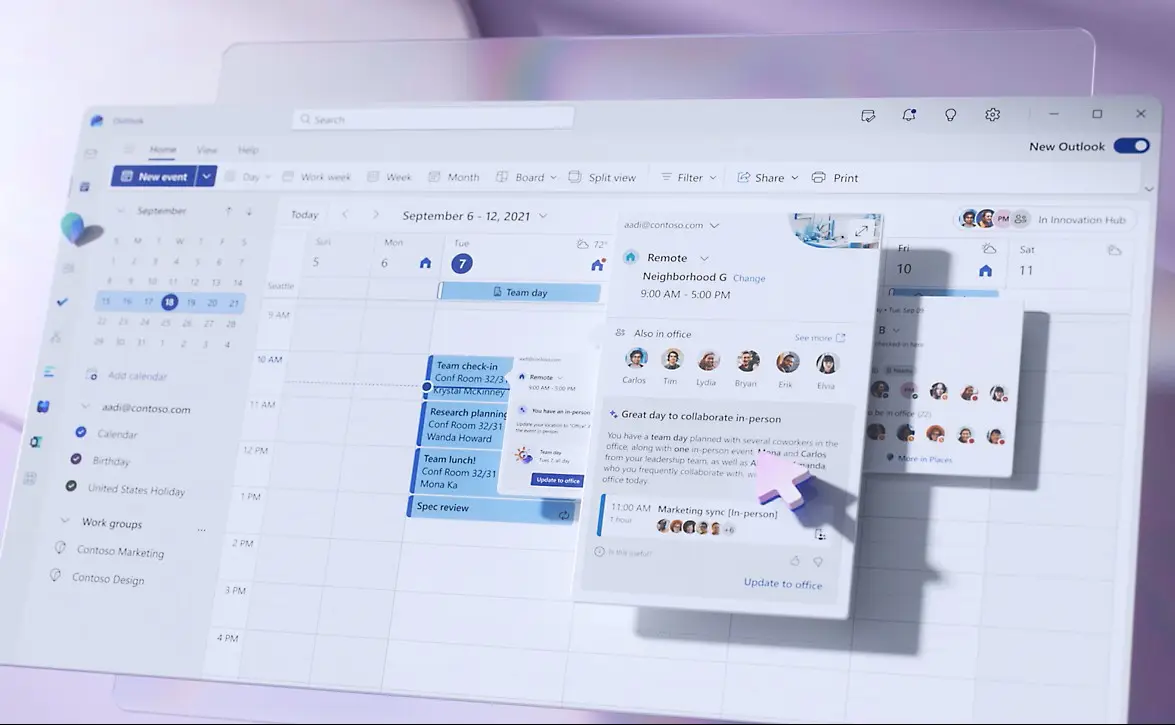
No more guessing who’s in the office. This feature allows employees to set and share their work location schedule in advance. A simple glance at the “Places card” in Outlook or Teams lets you see exactly who is planning to be on-site, making it easy to coordinate in-person collaboration and meetings.
Hybrid RSVP
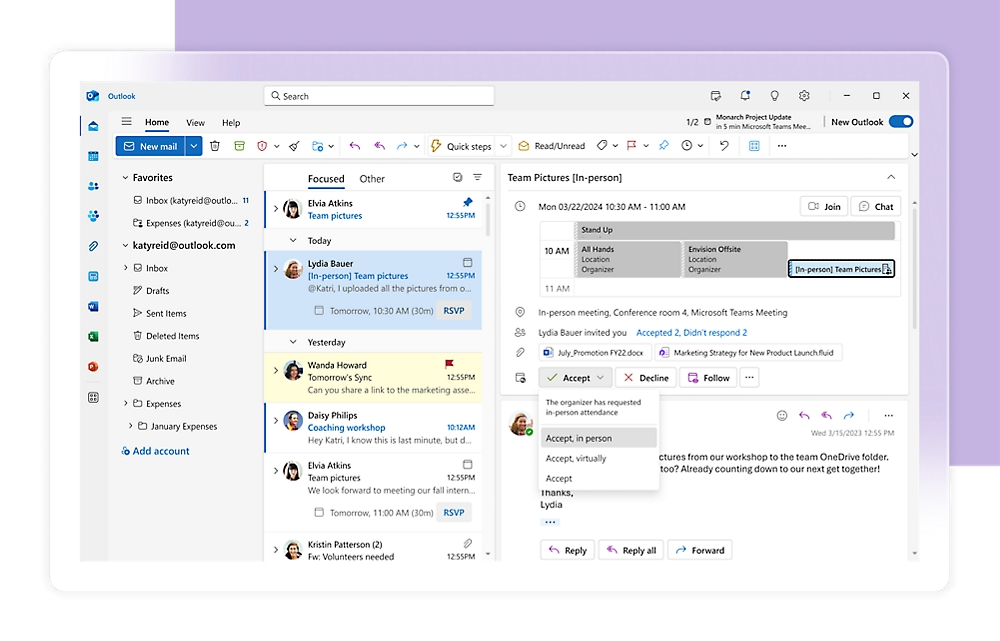
This a great feature for meetings. When you send out a meeting invite, attendees can specify whether they will be joining in-person or virtually. This helps organizers find a suitable room and ensures the technology is set up correctly for both remote and in-office participants.
Places Finder & Booking
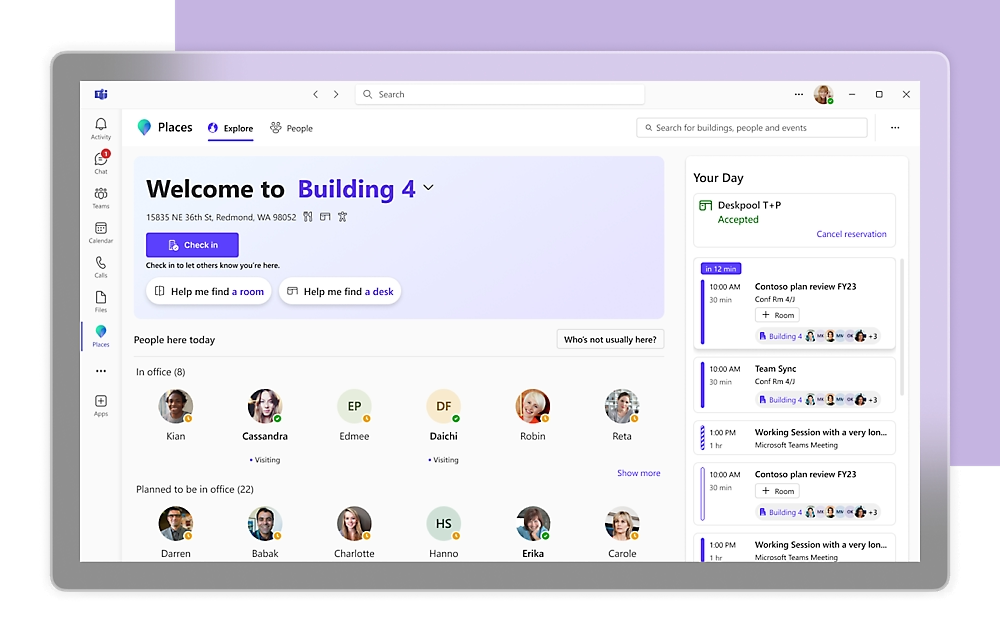
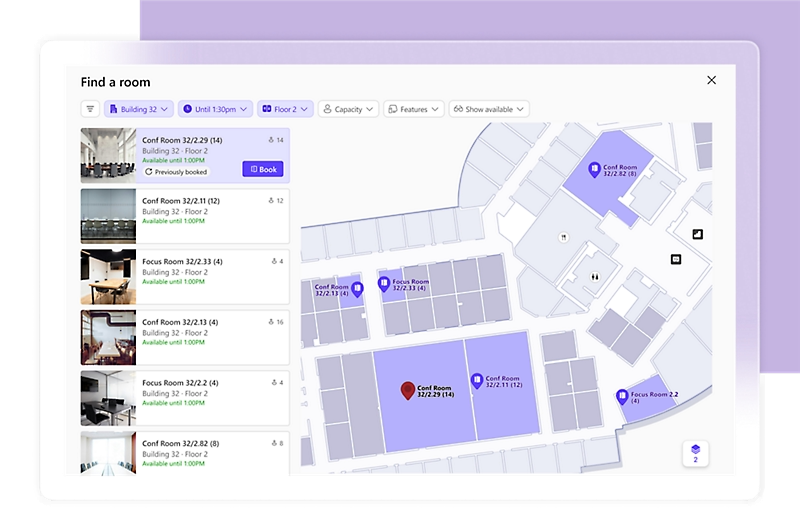
This feature eliminates the scramble for a workspace. With Places Finder, you can use interactive 3D floor maps to find and book available meeting rooms and individual desks. You can search based on your needs, whether it’s a quiet space for focused work or a collaborative area for a team project.
Space Analytics
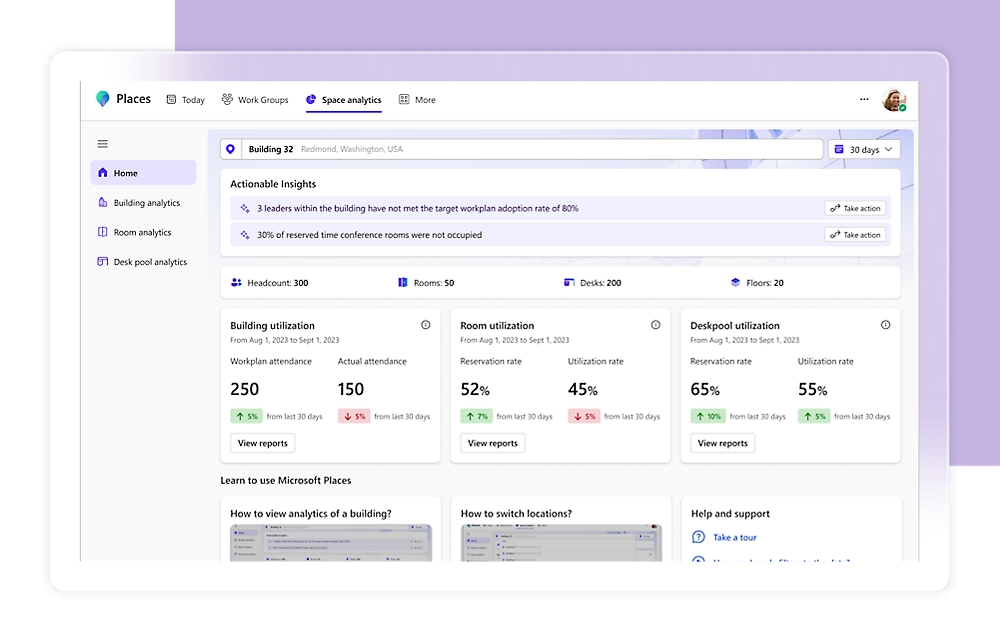
For company leaders, this provides powerful, data-driven insights. It offers a clear picture of how your office space is actually being used, highlighting occupancy trends, popular desks, and underutilized rooms. This data is invaluable for making smart decisions about real estate and optimizing your office layout.
Licensing: what’s free vs paid (and why Teams Premium shows up)
Understanding how Microsoft Places is licensed is essential for organisations looking to maximise value from their hybrid workspace solutions. The platform offers a tiered approach, with core features available to most Microsoft 365 users and advanced capabilities unlocked through additional licensing, making it important to know what is included for free and what requires an upgrade.
Microsoft splits Places into Core, Premium, and Copilot-enhanced capabilities:
- Core (included with M365) — available with most Microsoft 365/Office 365 plans (Business Basic/Standard/Premium; E1/E3/E5; A1/A3/A5; F1/F3), and in Teams Essentials/Enterprise for Teams surfaces. This covers work plans, in-person RSVP, the Places card, and more.
- Premium (paid) — advanced features (e.g., Places Finder, individual desk booking, space analytics, quick room booking, team guidance). These Places Premium features are licensed via Microsoft Teams Premium. In other words, you don’t buy a separate “Places Premium” SKU—the premium experiences ride on Teams Premium.
- Copilot — AI perks such as managed room booking and (coming soon) recommended in-office days and Copilot explanations in analytics require Copilot for Microsoft 365 in addition to Places.
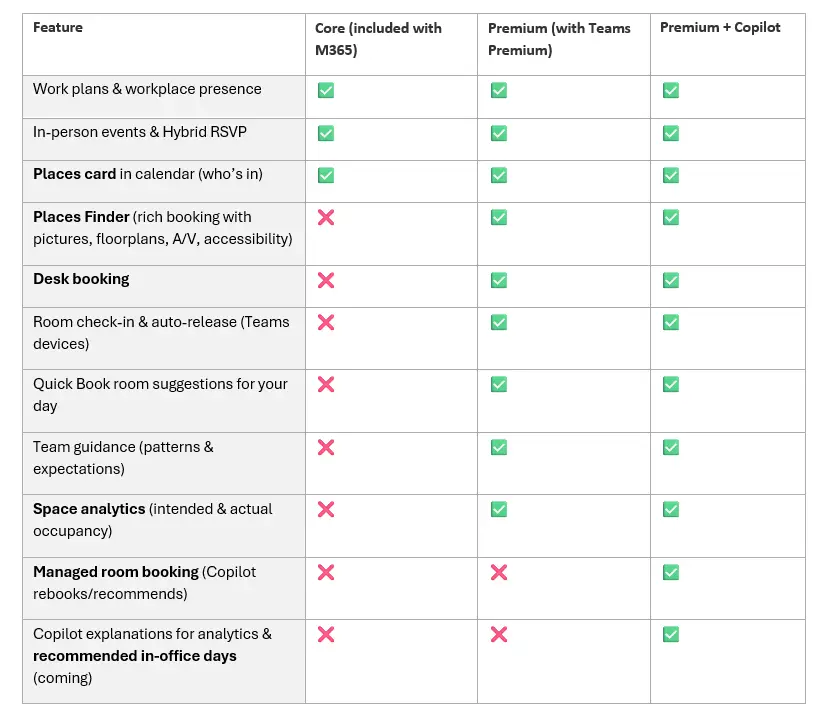
This licensing is explored in more detail in the following Microsoft Learn article.
How Places boosts hybrid working (real-world scenarios)
Here are several practical ways Places supports and enhances hybrid working for organisations and individuals alike:
Make the commute count
The Places card and work plans make it obvious who’s in and when, so teams align in-office days for workshops or 1:1s instead of guessing. Less FOMO, fewer “empty office” days.
Right space, first time
Places Finder’s rich metadata (A/V kit, accessibility, photos, floorplans) cuts down on mismatched rooms and “adapter hunts.” Booking happens where users already are—Outlook and Teams.
Desk strategy that fits your culture
Mix hot desks (individual) and desk pools for neighborhoods; support for different desk types (static, bookable, drop-in) and the ability to tag desks with what matters (near window, dual monitors, wheelchair accessible). Users choose what they need; admins keep order with policies.
Evidence-based workplace design
Space analytics marries intent (work plans) with actual occupancy (e.g., badge data) so you can resize floors, change desk/room ratios, and schedule on-site rituals with data—not vibes.
Best Practices for Deployment
Based on Microsoft’s own experience deploying Places across global campuses, here are some tips:
- Assess your current state: Identify key challenges in coordination, modernization, and space optimization.
- Start with a pilot: Choose buildings with complete floor plan data for a quick start.
- Engage stakeholders early: HR, facilities, and IT should co-sponsor the rollout.
- Leverage champions: Build a network of early adopters to drive awareness and adoption.
- Prepare your data: Ensure building, floor, and workspace data is accurate for optimal feature use.
- Measure and iterate: Collect feedback and usage data to refine your approach.
Conclusion
Hybrid work is here to stay, but making it successful requires more than policies—it requires technology that bridges the gap between physical and digital workspaces. Microsoft Places delivers on this promise by helping employees connect meaningfully, while giving organizations the insights they need to optimize their real estate investments.
Ready to get started?
FAQ
What you need to know
Here’s where we clear up some of the common queries we hear from customers about Microsoft Places.
Not really. Users see Places experiences right inside New Outlook and Teams, and there’s also a Places app (web/connected app). You build your Places directory and enable features, and it’s all surfaced right within the apps they already use—so it snaps straight into the flow of work.
No. Core features (work plans, in-person RSVP, Places card) are included with common Microsoft 365 plans. You need Teams Premium for advanced booking (Places Finder), individual desk booking, room auto-release/check-in, space analytics, Quick Book, and team guidance.
Copilot for Microsoft 365 unlocks things like managed room booking and (coming) recommended in-office days and AI explanations in analytics.
PowerShell and Graph are here today; Microsoft is rolling out a Places Management portal to make this friendlier for admins.
Getting Started - We Can Help
We specialise in Microsoft 365 collaboration, AI, security and—crucially—adoption. If you want Places to change behaviour (not just exist), we’ll help you:
- Design a hybrid rhythm that fits your teams, then configure Places to support it.
- Decide desk strategy (individual vs pools), policies, and maps that match your culture.
- Turn analytics into space and policy changes (and show the business the impact).
- Land the habits—work plans, checking the Places card, and using Finder—so people actually meet.